TL;DR
Free browser tools can make generative patterns, motion and textures in minutes.
Most of them export PNG, SVG or MP4 for your brand or website work.
Odd Grid and Spherium are great for ownable brand graphics.
Colorflow builds mesh gradients and also works as a Framer plugin.
Some tools lock higher frame rates or extra effects behind a pro plan.
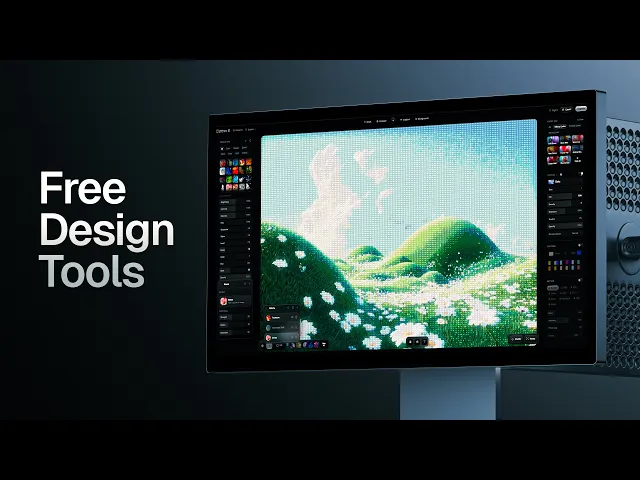
The best free generative design tools make patterns, pixel effects, gradients and motion in minutes. They all run in your browser. Here are ten I use and what each one is good for.
Brand projects need more than a logo. You need textures, patterns and small motion pieces that make the identity feel alive. Building those by hand takes hours.
These tools give you a head start. You still choose the colours, shapes and images, so the result fits the brand.
Tools for generative motion and grids
Generative Motion by Paul Soulhiard turns your images into looping 3D motion. You find it at imagetool.paulsoulhiard.com.
Presets for sphere, ring, flow and helix.
Controls for count, radius, scale, loop speed and rounded corners.
Drag in your own images, like portfolio shots.
Change the ratio for Instagram and export an MP4 at 30 or 60 frames per second.
Odd Grid at oddgrid.vercel.app is a generative pixel grid. All the sliders sit on the left.
Grid detail, grain, fill, blockiness, block size and speckle.
Marks as dots, rings, squares, wedges, mixed, or your own SVG shape.
Built in palettes like Acid, Reso and Mono, plus custom colours and shuffle.
Animations like scan, pulse and shimmer, with intensity and speed.
Export as SVG or MP4 at your chosen size.
The custom SVG upload is my favourite part. Drop in a shape from the brand and the grid becomes yours.
Tools for image effects
Ladybug at app.theladybug.app has a long list of effects. Think trace motion, 3D lab, contour mapping, rain reveal, retro matrix and symbol matrix.
Sign in with a free account. The upgrade is in beta, so it is free right now.
Add an image, or open the 3D lab to make text or a shape.
Click a preset on the left to apply it.
Fine tune it with the controls on the right and the timeline at the bottom.
Add motion if you want it.
Export as PNG, JPEG or MP4.
You also get five free downloads of the web packs, SVG and PNG exports. It works with photos and logos, and the interface is very nice.
ASCII Magic at ascii-magic.com is built for dither, dots and ASCII effects. It has animated presets and recipes like matrix and vaporwave.
Styles like braille, disco, voxel and lines, with font size and invert.
Dot grid overlays, coverage, and lights you can move and animate.
Tones like black and white, sepia, fade, cyber and vintage.
Gaussian blur, lens blur, vignette and scan lines.
Export PNG, JPEG or MP4, or copy the code for your website.
Ditther at ditther.com, spelled with two Ts, focuses on pixel distortion, print and retro colour effects. It has a free version.
Start from an image, a video, a gradient or one of their backgrounds.
Adjust brightness, contrast, saturation and hue.
Stack effects like scan lines, CRT, glows and noise. Hide or delete them in the effects panel.
Add textures like Lego dots, halftones, dither, pixel art and ASCII, plus duotones.
Export at 30 frames per second on free, or 60 on pro.
Tools for micro graphics and layouts
There is also a brand asset generator for micro graphics. It reads your image and places small marks based on the light and shadow.
Controls for opacity, pixel size, zone size, strokes, frame text and crosses.
Small details like chains and numbered intersections.
Bright mode follows the highlights. Dark mode follows the contrast.
Randomise everything, swap circles for squares and change the palette.
Generativna Grafika at generate.generativnagrafika.com builds intricate geometric layouts.
Change rows, padding and offset.
Add noise for more random artifacts.
Switch the shape to an ellipse and set its size, diameter, rotation and height.
Use presets like gold dust, steel and heat wave, then fade them.
Export as an image or a video.
Tools for lines, gradients and spheres
Benjamin Smith has a whole set of tools at benj-design.com. There is a topographic tool, a curve generator, an ASCII tool, a 90s CRT effect, a spirograph and an isometric tool.
His curve tool makes line shapes with points, gradients and trail fades. You can animate and rotate the path so it looks 3D. Loop it and export an animated SVG for a website.
Colorflow at colorflow.ls.graphics is a mesh gradient editor. It is also a Framer plugin, and you can bring it into Figma, but it works fine on its own.
Pick a preset.
Drag the mesh to shape it, or use mirror, angle, align and perpendicular.
Change the colours. Press V to add more lines.
Adjust exposure, contrast, saturation and colour interpolation.
Add glass distortion, film grain, chromatic aberration, blur or halftones.
Export a PNG or video, or animate it and embed the code on your site.
Spherium at tryspherium.com makes a planet style sphere graphic. It is in beta right now.
Build the sphere from circles, squares, triangles, dots or pluses.
Set the density and highlight a region. I picked Australia.
Change the colours and size, and turn on meridian lines and parallels.
Export as SVG.
How to use these on real projects
Feed every tool the brand's own colours, shapes and images. That is the difference between a random effect and a brand asset.
Patterns from Odd Grid or Generativna Grafika for packaging and social posts.
Looping MP4s from Generative Motion for Instagram.
Animated SVGs and embed code for website sections.
Spheres and mesh gradients for hero images.
Want to turn assets like these into full brand identities? That is what we work on in Designer School.
The bottom line
Free generative tools can give your brand projects patterns, textures and motion in minutes. Pick two or three, feed them the brand's own assets, and export what you need.
Questions, answered
What are the best free generative design tools?
My favourites are Generative Motion, Odd Grid, Ladybug, ASCII Magic, Generativna Grafika, Benjamin Smith's tools, Colorflow, Ditther and Spherium. They all run in the browser. Each one has a free way to export your work.
How do I make a dither or ASCII effect for free?
Try ASCII Magic or Ditther. Upload an image, pick a preset, then adjust the effect, colour and blur. Both can export images and video.
Is there a free mesh gradient generator?
Colorflow is a mesh gradient editor with a lot of presets. You can edit the mesh, change the colours and add effects like grain and glass distortion. It exports images and video and is also available as a Framer plugin.
Can I use generative design tools for branding?
Yes. I use them to make patterns, textures and motion that sit alongside a logo. Tools that accept your own SVG shapes or images, like Odd Grid, make the result feel specific to the brand.
Are these generative tools completely free?
Each one has a free way to export. Some limit extras. Ditther gives 30 frames per second on the free version and 60 on pro, and Ladybug gives five free downloads of certain export packs.

Written by Jeremy Mura
Brand designer, founder of Mura Studio and Designer School