TL;DR
AI is now good enough to sit in a designer's daily workflow.
Use it for layout and type variations, but keep a clear brand guideline.
You can build your own apps and websites instead of paying for more subscriptions.
Automate email sorting, morning briefs, reports and rough video cuts.
You are the captain. Do not trust AI to do everything for you.
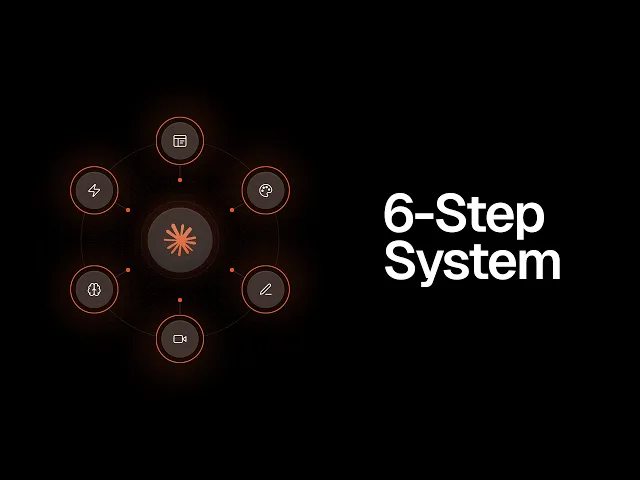
Designers stay ahead with AI by letting it handle variations, builds and busywork while they keep the ideas. Here are the six ways I use it every day.
I used to be an AI sceptic. The designs looked like slop and the tools were not that smart. About six months ago that changed. The tools got better and smarter, and I started using them to experiment, design and build apps.
If you run a studio on your own, this matters. You can now do work that used to need a team.
Make design variations in minutes
The first place AI helped me was visual design. I know, a designer should build everything from scratch. I used to think that too.
Now I use AI to explore faster. Say I design one section of a website in Illustrator or Figma. I give it to Claude Design and ask for five variations. It comes back with different directions in minutes.
This works well for:
Different layouts for the same section.
Typography experiments.
Icons, images and visual ideas.
Custom characters that would take me days or weeks by hand.
The better your brand guideline, the better the results. If you are vague, you will be going back and forth a lot. If you are specific, you get good layouts fast.
I still do most of the logo and identity process myself. I enjoy it, and I am faster, because AI does not always get it right. But it is a great part of the process for everything around the logo.
Build your own apps instead of subscribing
I do not look for apps to pay for anymore. I build them. It is fast, and I can make them work exactly how I want.
Subscriptions stack up, and your expenses go through the roof. Building your own cuts that.
For example, I built my own budgeting app with Claude Code. It took about a day or two. Then I kept tweaking it to suit my business and my personal circumstances. It tracks:
My budget, with imported transactions.
Debts I need to pay off.
Saving goals.
Tithing.
It even has a light mode. As a designer, you get to shape the UI too. If you already have a design, use it as the baseline. For a freelancer, this cuts out the need for a developer.
Build websites with AI agents
Every website builder now has agents built in, and they have gotten really good. I use Framer, and Relume is also really good.
Here is a real example. I was fixing up a client's logo and identity. I gave the AI the colours and fonts I wanted, plus one or two references.
In less than 30 minutes I had a live one page website mockup. It had hover animations and working links. I just told Claude to build the landing page. I showed it to the client, and it made the logo and colours come to life.
I built the landing page for my own design school the same way. I designed the logo and wrote all the text myself. Then the AI updated the page with the images from my folders, mockups and testimonials. The page was done in one day, and it kept building in the background while I did other work.
Automate the repetitive admin
AI can take over a lot of daily repeat tasks. Email is the big one for me.
Every morning it goes through my inbox.
It labels leads, student questions and promotions.
It sorts what is important from what is not.
It sends me a morning brief with links.
The brief shows what needs my attention and what is resolved. It also lists things I have released, design news and industry news. I skip the inbox and go straight into work.
Other ideas you can set up:
A weekly business report from tools like Stripe or Gumroad, so you see sales and numbers.
A review of your last 30 days of content on Instagram or YouTube, showing what is working and what is not.
Let AI rough cut your videos
This one is a huge time saver. Both Codex and Claude Code can now edit videos in DaVinci Resolve and Premiere Pro.
I installed a Premiere Pro MCP. Now I use it to edit shorts and long videos. Mostly I use it for the rough cut, then I go in and fix up the details myself.
I was shocked when I tried it over the last few weeks. A lot of designers hate making content because editing takes so long. Let AI do the cut while you focus on logos and branding.
Speed up research and mood boards
The last one is research. Part of our job is gathering images for a mood board. I do not want to scroll for hours to find the right ones.
As a baseline, you can get AI to do that research for you. It can look at websites, or use a tool like Cosmos to build out a mood board.
Say I am designing an app. I ask for a few different directions, and it gives me options to react to. That speeds up the start of the project.
You are still the captain
None of this works without you. You are driving the agents. It does not matter which AI you use. I use Claude.
You are the one with the ideas. You are building the business and you know what it needs. Do not trust AI to do everything for you.
Want help with the design side of that business, from your first identity project to your first client? Take a look at Designer School.
The bottom line
AI is now good enough to save a designer hours every week. Use it for variations, builds, admin, video and research. Keep the ideas and the final call for yourself.
Questions, answered
How can graphic designers use AI in their workflow?
Use it to make variations of a layout or typography you already designed. It also helps with icons, images and visual ideas you then edit. I still do logo and identity work myself, because AI does not always get it right.
Will AI replace graphic designers?
Not if you stay in charge. AI follows direction, and you are the one with the ideas and the business sense. Designers who use it well can do more work as a one person team.
Can designers build apps with AI without a developer?
Yes. I built my own budgeting app with Claude Code in about a day or two. As a designer you can also shape the UI to look exactly how you want.
What AI tools can build websites for designers?
Website builders now have AI agents built in. I use Framer, and Relume is also really good. I made a live one page website mockup for a client in under 30 minutes.
How do I get better results from AI design tools?
Give it a solid brand guideline and be specific about what you want. Vague prompts mean a lot of back and forth. Clear colours, fonts and one or two references get you good layouts fast.
Can AI edit videos in Premiere Pro?
Yes. Both Codex and Claude Code can edit videos in DaVinci Resolve and Premiere Pro. I installed a Premiere Pro MCP and use it mainly for rough cuts, then finish the edit myself.

Written by Jeremy Mura
Brand designer, founder of Mura Studio and Designer School